- Home
- Industries
- Warehouses and logistics centres
Smart locker for the warehouse: shift equipment, documents and goods
Warehouse staff take a terminal or scanner from a compartment at the start of the shift and put it back when they finish. Drivers collect their transport documents with a code, even after the office has closed. Business partners pick up prepared goods after the warehouse’s working hours.
What the locker is used for in a warehouse
Terminals and scanners per shift
At the start of the shift, an employee taps their staff card and takes a terminal, scanner or other equipment from a compartment. After the shift, it goes back the same way. AddParcel records who took and returned each device, and when. A withdrawal can require a supervisor’s approval.
Goods for employees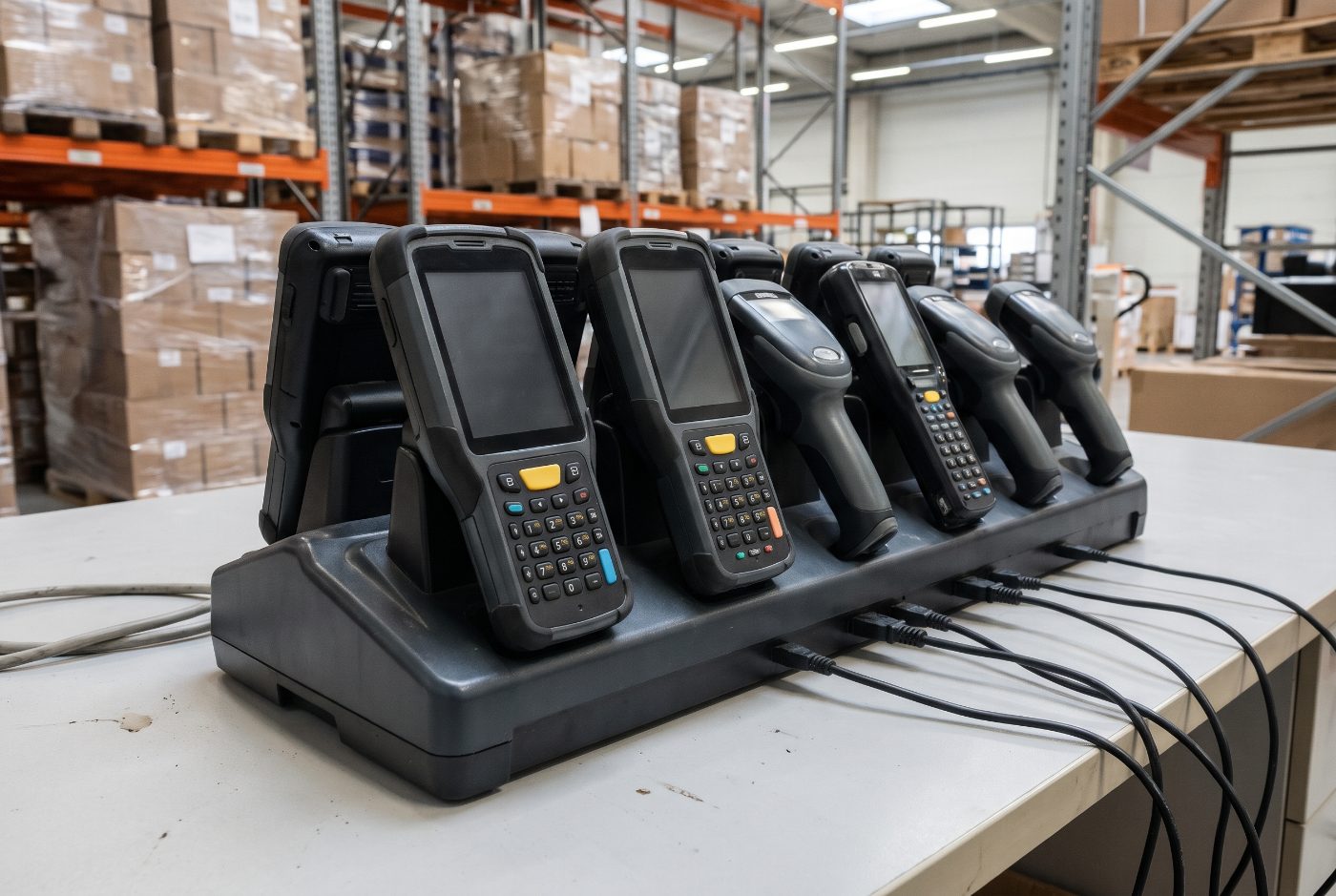
Documents for drivers
The office leaves transport documents in a compartment, and the driver collects them with the code from a text message, also after the office has closed. Drivers leave documents for the warehouse the same way.
Goods for business partners
A prepared order waits in a compartment. The customer or business partner collects it with a code, even after the warehouse’s working hours.
Internal consignments
The warehouse, the office and other departments pass parts, samples and documents to each other through the compartments.
Parcels for shift workers
A courier leaves a parcel in the locker by the entrance. It’s there for the employee before or after the shift: they open it with a texted code or their card.
Items ordered for staff
The person who restocks the locker (a warehouse employee or a supplier) scans the order code and puts the items in a compartment. The employee opens it with their own staff card.
Connection to the warehouse’s systems
The scope of the integrations is agreed at the start of the implementation.
| Connection | Scope |
|---|---|
| WMS | Issue orders come in from the warehouse management system, and placement and collection statuses go back to it. |
| Dock scheduling system (YMS) | Drivers with booked slots and the documents waiting for them. |
| TMS | Transport orders and transport documents. |
| ERP | Business partners’ orders and who collects them. |
| Without integration | A member of staff enters in the web panel what they are leaving in a compartment and for whom. An integration can be added later as a separate module. |
Use of the locker by people from outside the company
At the gate or the entrance
We place the outdoor locker where drivers, business partners and couriers can reach it without entering the warehouse site.
A code, not an account
The driver or business partner types the code from their text message or e-mail on the screen. No account or app is needed.
Screen in the driver’s language
The driver chooses the language on the screen and gets the notification in their own language.
Charging locker and parcel locker
Terminals and scanners charge between shifts in a charging locker. Goods for business partners wait in a parcel locker, in deep compartments from S to XL.
Charging locker
Compartments with a charging socket for laptops, terminals and tablets.
Parcel locker
Deeper compartments from S to XL, indoor or outdoor.
These are example lines. We build a locker of a different size or with a different compartment layout to order.
The implementation process in a warehouse
We run the implementation from the first conversation to a working locker. After that, AddParcel monitors its operation, and we fix faults remotely or on site.
Conversation
We ask what is to go into the compartments, how many parcels there will be a day and where the locker should stand.
Site survey
We assess the site in person or from photos and confirm where and how the locker will be installed.
Installation and testing
We deliver the locker, install it, connect and configure it, and then test the whole process together with the customer’s team.
Training and launch
After online training, selected members of the customer’s team run the locker from the web panel.
Questions from warehouses
How big can the items be?
We match the compartments to what is to go into them. The parcel locker has deep compartments in four sizes, from S to XL. For larger items, such as parts, we have the large-item locker.
Who can see who took a terminal?
Employees see their own withdrawals and returns. The administrator sees every operation on that locker.
Can lockers at different sites run on one platform?
Yes. The AddParcel platform shows them all, with the status of each device. Each member of staff gets access only to the locations they need.
Smart lockers in other industries
Let’s talk
Our expert asks what is to go into the compartments, and helps choose the right locker model and plan the changes to the processes that are to be automated.
- E-mailhello@addparcel.com
- Phone+48 515 006 070
- AddressAddictive Group Sp. z o.o.
al. Józefa Piłsudskiego 92, 92-202 Łódź, Poland